
OEE monitoring: history and analytics
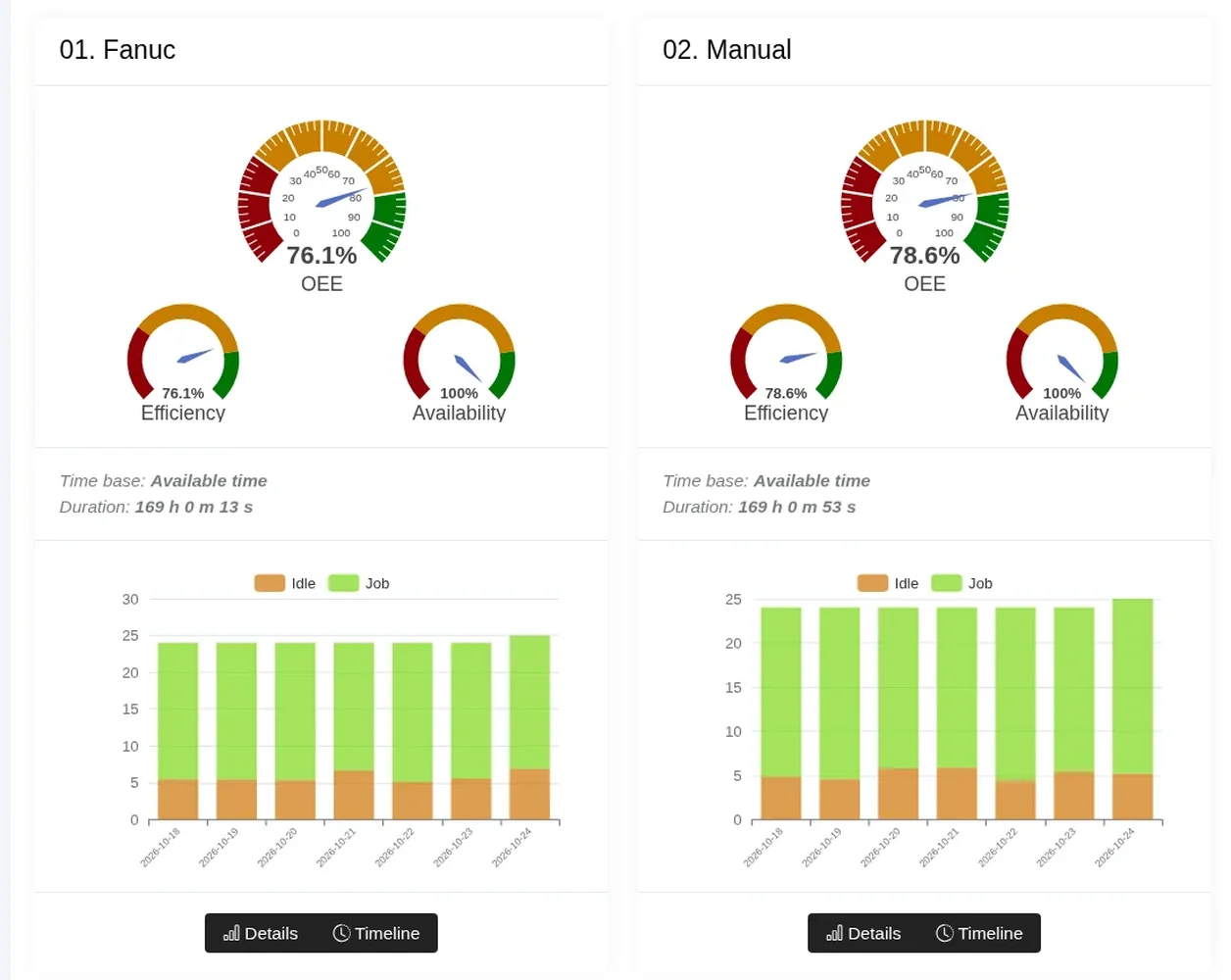
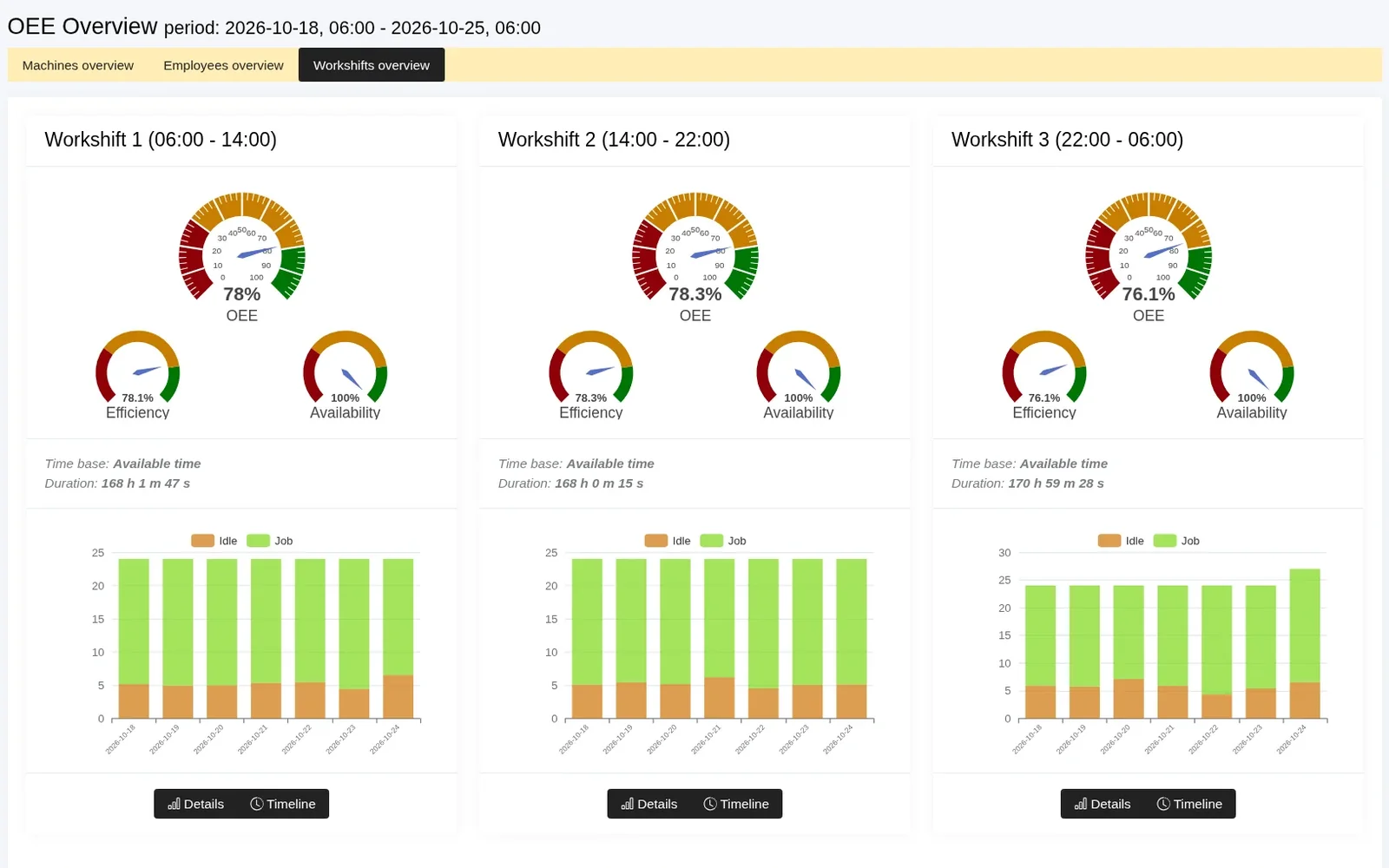
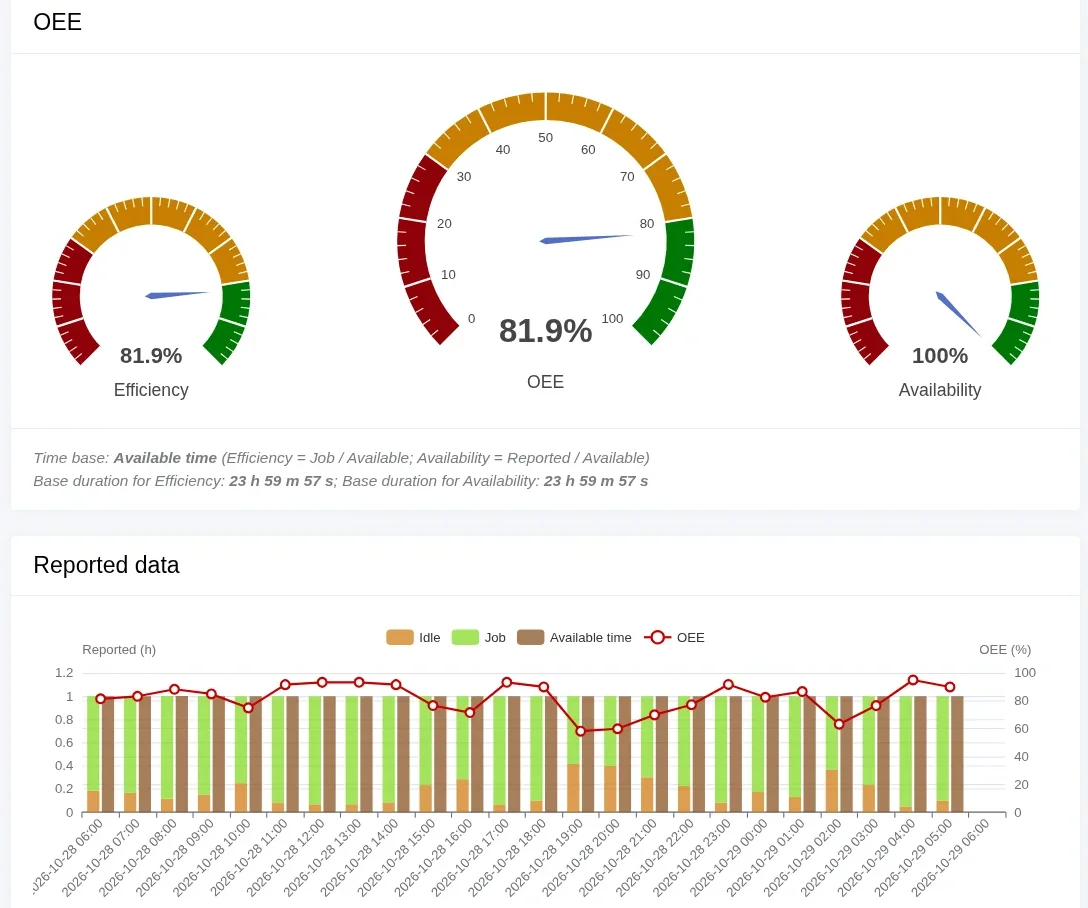
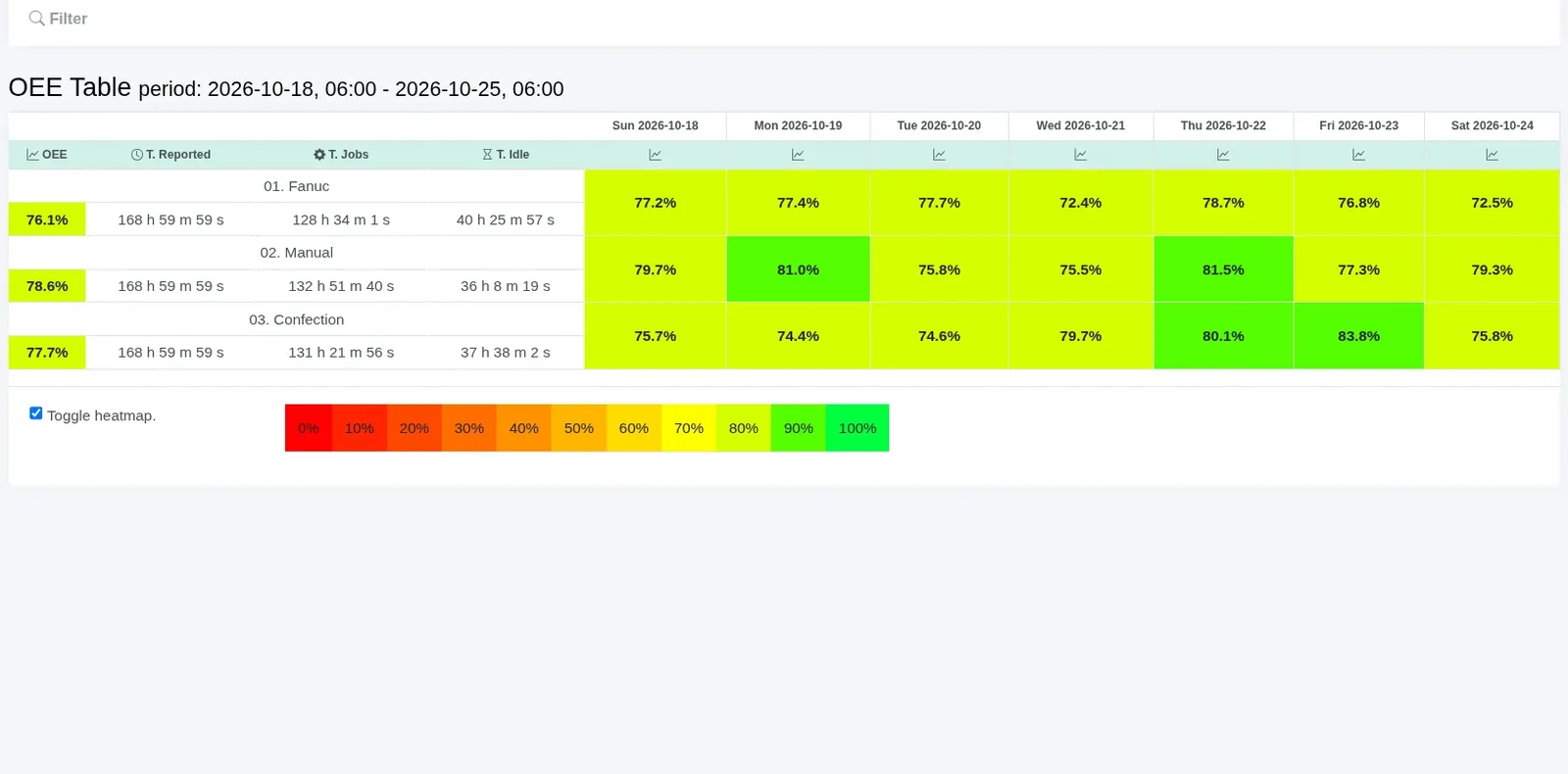
As OEE software, Scout shows the availability, performance and quality of each machine without manual calculations.
The production overview and details screens give you an instant view of your machines’ OEE and how it has changed over time.
The production overview screens let you compare efficiency by any parameter, such as:
- machine (compare machine efficiency)
- employee (compare employee efficiency)
- shift (compare shift efficiency)
- jobs, orders and more
Detailed job statistics show how efficiency indicators were distributed over a selected period, and you can filter the data by any process parameter.
All of this helps you manage production better, based on real data.
Scout collects run times and machine data for OEE automatically from the controls; quality comes from the OK/NOK parts marked in the operator panel.