
Production reports in Scout MES are ready-made views with data from your machines, with no filters to set. We agree with you what you need and set up the reports in your account, so everyone sees what matters to them.
Everyone in the company needs different data
A shift supervisor wants to know which machine is stopped right now. The board looks at efficiency and OEE for the week or month. A production planner compares output with the plan. Scout collects data from the machines automatically, and we arrange the reports so that each of these people gets a ready answer, not a raw table.
Any view of production efficiency can go into one or more report screens. That way, analysing efficiency, OEE or other indicators takes minimum time.
How we tailor Scout to your company
- Talking about your needs. We agree who uses the data and which questions the reports should answer. Tailoring is usually charged as additional work; we agree the scope and cost before we start.
- Configuration on our side. In your account we set up reports, work shifts, machine groups and additional machine fields, e.g. efficiency targets or departments.
- Access for your team. You open the reports in a web browser. You can show selected screens on a TV on the shop floor through a public page, and export the data to an XLSX file.
- Changes when your company changes. A new machine, a different shift pattern or a new question from the board? We change the configuration. Changes are usually charged as additional work, and we agree the scope and cost before we start.
What production reports you can get
Examples from features Scout has today. What you get depends on your machines’ controls and on what we agree with you.
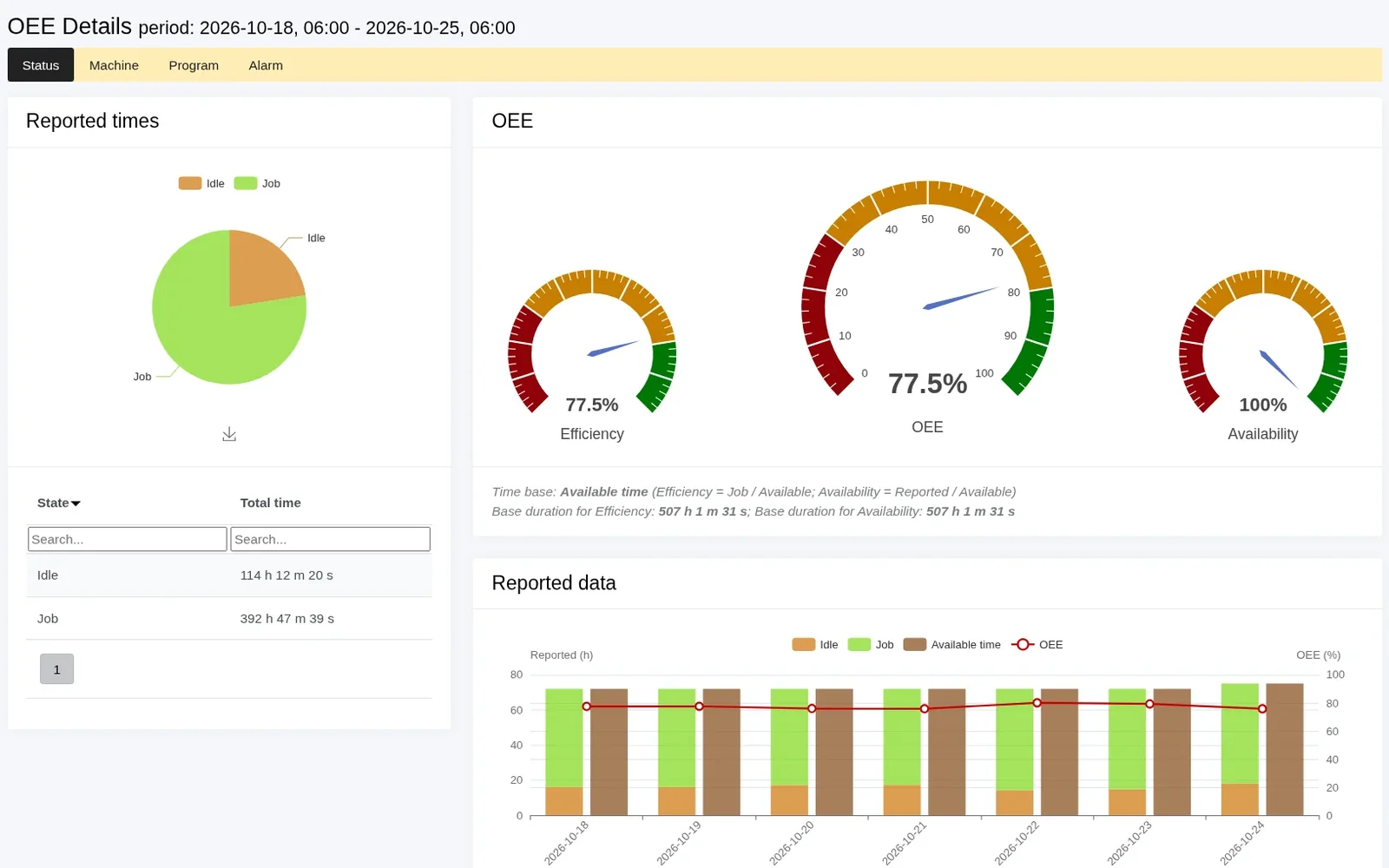
- Efficiency and OEE for a machine, employee, shift or job, and for all machines on one screen.
- Run, idle and offline times for a week or any period, split by shift.
- A heat map of machines by hour, day or month, with export to XLSX in colour.
- Grouping by process parameters, e.g. by program, job or machine state.
- Historical data in a table with the columns you choose and export to XLSX.
- Planned offline time from the schedule (holidays, maintenance, an unstaffed shift), which does not lower the calculated efficiency.
- Values from the machines, e.g. the program being run, override, M-code, alarm, part counter – depending on the control.
- Shop floor screens: public pages that open without logging in, and static pages on a TV (e.g. efficiency, company news, health and safety), alternating with Scout screens.
Scout can also send selected reports by e-mail on an agreed schedule.
You can save your own filters as shortcuts in the menu (“Save filter”). If you need a notification rather than a report, Scout sends an e-mail or SMS notification, e.g. when a machine has been idle for too long. Push notifications are configured for each deployment.
What you gain
- Less time spent on data. The report is ready – no need to set filters every time.
- The same figures for everyone. The shift supervisor, planner and board look at data from the same source: straight from the machines.
- No programming on your side. We do the configuration ourselves, because we develop the system.
- The system grows with your company. New machines, shifts and questions go into the configuration, not into a spreadsheet.
- The same in the cloud and on your own server. Tailoring works the same way in the SaaS and on-premises versions.
Data from your ERP? We prepare ERP integration (e.g. importing jobs) individually for each customer’s system.
Frequently asked questions
No. Reports in Scout are ready-made views that do not need any filters. We agree with you what should be in them, and then we configure them in your account ourselves. You can also save your own filters as shortcuts in the menu.
Efficiency and OEE for a machine, employee, shift or job; run, idle and offline times; a heat map; and data grouped by program or job. Values from the machines, e.g. program, override or M-code, depend on the control. You can export the heat map and historical data to XLSX, and reports can arrive by e-mail on a schedule.
Yes. You share selected screens as a public page – a link that works without logging in. Older smart TVs may not support it; in that case a mini PC in kiosk mode works better.
No. In the trial you use the standard Scout reports, which show efficiency, OEE and machine run and downtime, among other things. We agree the tailoring after the trial, when you know which data you need.
We prepare ERP integration (e.g. importing jobs) individually for each customer’s system, because every ERP is different. We agree the scope with you.
Tailoring the reports and later configuration changes are usually charged as additional work, outside the subscription. We agree the scope and cost with you before we start, so you know what you are paying for. Subscription prices are on the pricing page.
Tell us what data you need
Try Scout on your own machines for 14 days with the standard reports. Then we will agree what to tailor.